Introduction
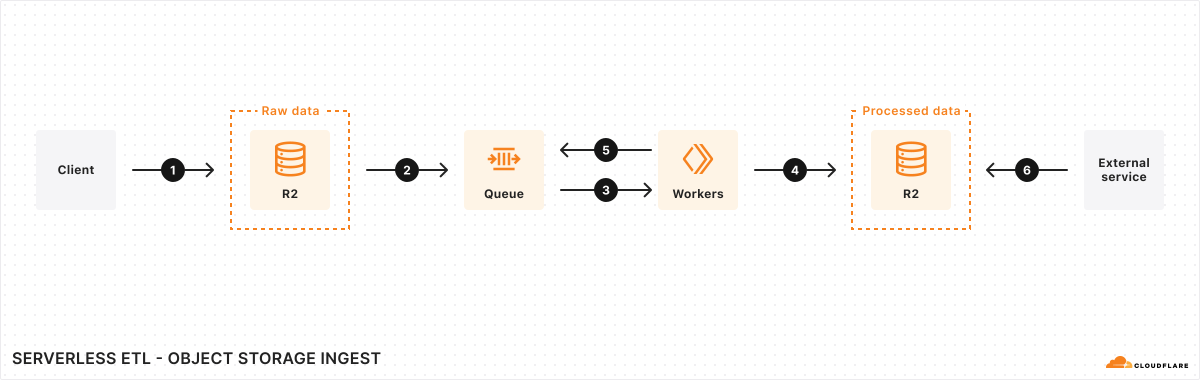
Welcome to the Cloudflare Open Hack! Today, we’ll be diving into Cloudflare Workers AI and how to leverage Cloudflare’s ecosystem to build a serverless ETL (Extract, Transform, Load) pipeline. Our goal is to create a system that automatically processes audio files by transcribing and summarizing them using AI.
What You’ll Learn
- Setting up a Cloudflare account and preparing your environment
- Building a serverless application with Cloudflare Workers
- Using R2 for object storage (handling audio file uploads)
- Implementing Queues for event-driven processing
- Storing metadata and transcripts in D1 (Cloudflare’s database)
- Leveraging Workers AI to transcribe and summarize audio
- Deploying and securing your application with WAF/DDoS protection
Agenda
1. Introduction (15 min)
Overview of Cloudflare Workers AI and how it integrates with Cloudflare’s stack.
2. Setting Up Your Cloudflare Account (10 min)
- Creating a Cloudflare account
3. Developing the Application - Part 1 (50 min)
- Configuring R2 storage
- Setting up Workers and D1
- Enqueueing processing tasks into Cloudflare Queues
- Writing a Cloudflare Worker that listens for new audio files in R2
4. Break (30 min)
Time to grab a coffee ☕ and discuss ideas!
5. Developing the Application - Part 2 (50 min)
- Integrating Workers AI for transcription and summarization
- Saving transcriptions and summaries into D1
- Handling errors and retries
6. Deploying on Cloudflare (20 min)
- Pushing the application live
- Testing the pipeline
7. Security: WAF/DDoS Configuration (20 min)
- Adding security rules to protect your application
8. Q&A (15 min)
Wrap-up, feedback, and next steps.